Rule 90 (HDLBits)
Rule 90 Cellular Automaton System (512 Cells)
📌 Question
Rule 90 is a one-dimensional cellular automaton with interesting properties.
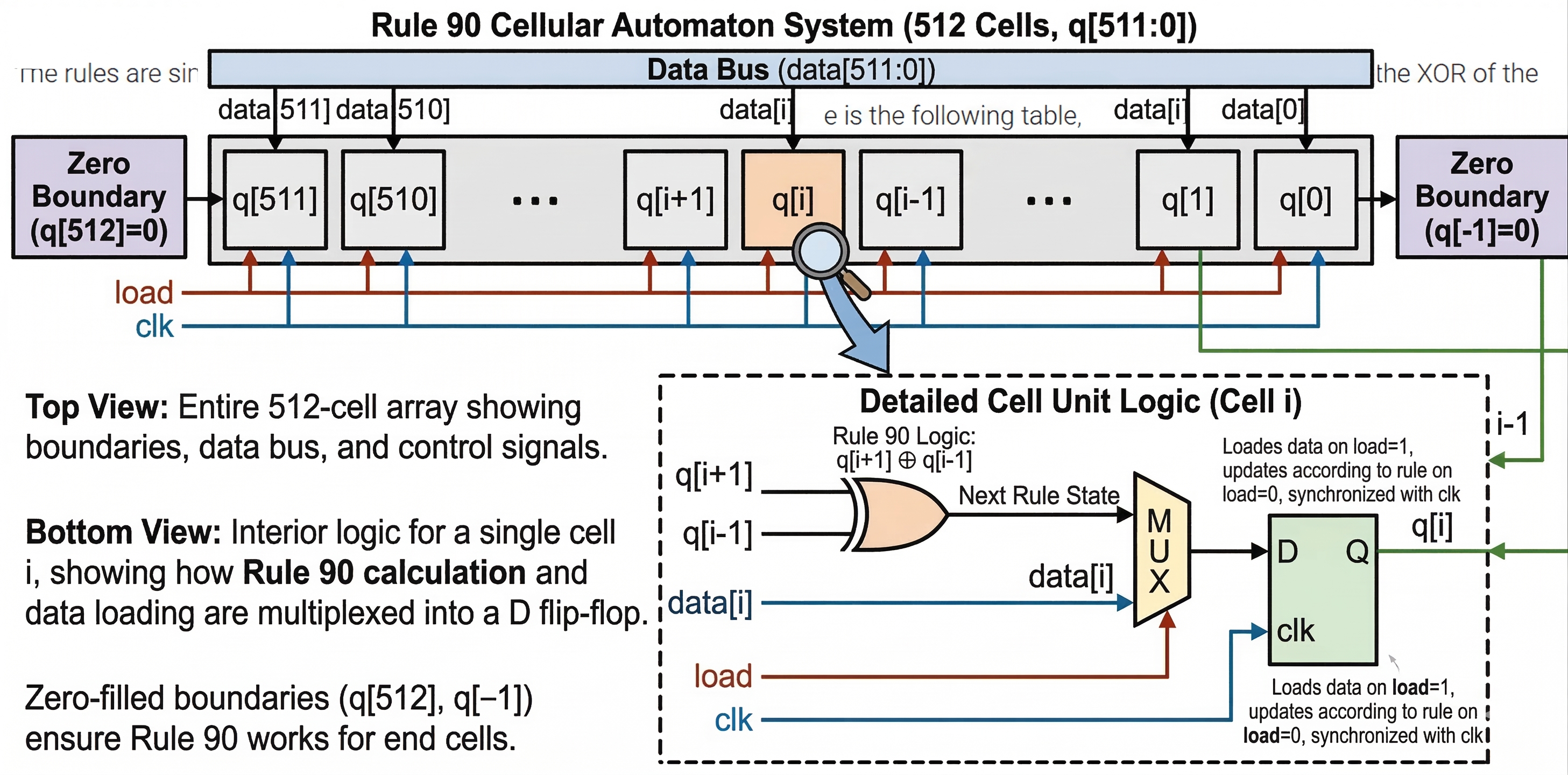
The rules are simple. There is a one-dimensional array of cells (on or off). At each time step, the next state of each cell is the XOR of the cell’s two current neighbours. A more verbose way of expressing this rule is the following table, where a cell’s next state is a function of itself and its two neighbours:
| Left | Center | Right | Center’s next state |
|---|---|---|---|
| 1 | 1 | 1 | 0 |
| 1 | 1 | 0 | 1 |
| 1 | 0 | 1 | 0 |
| 1 | 0 | 0 | 1 |
| 0 | 1 | 1 | 1 |
| 0 | 1 | 0 | 0 |
| 0 | 0 | 1 | 1 |
| 0 | 0 | 0 | 0 |
(The name “Rule 90” comes from reading the “next state” column: 01011010 is decimal 90.)
In this circuit, create a 512-cell system (q[511:0]), and advance by one time step each clock cycle. The load input indicates the state of the system should be loaded with data[511:0]. Assume the boundaries (q[-1] and q[512]) are both zero (off).
Hint
For an initial state of q[511:0] = 1, the first few iterations are:
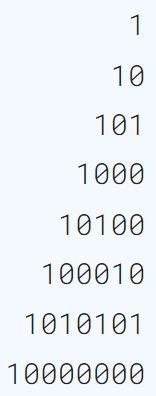
This forms half of a Sierpiński triangle.
Block Diagram Draw by GEMINI
🧑💻 Code Example
You can also view my Github repo to see the whole project files, include below source code.
Brandon-git-hub/Open_EDA_Example - Rule 90 (HDLBits)
RTL Code
module top_module(
    input wire clk,
    input wire load,
    input wire [511:0] data,
    output reg [511:0] q );

always @(posedge clk) begin
    q <= (load)? data : {(q[510] ^ 1'b0), (q[511:2] ^ q[509:0]), (q[1] ^ 1'b0)};
end

endmodule
Testbench Code
`timescale 1ns/1ps

module tb_top_module;

    // Inputs
    reg clk;
    reg load;
    reg [511:0] data;

    // Outputs
    wire [511:0] q;

    // Instantiate the Unit Under Test (UUT)
    top_module dut (
        .clk(clk),
        .load(load),
        .data(data),
        .q(q)
    );

    initial begin
        clk = 0;
        forever #5 clk = ~clk; // 10ns period
    end

    initial begin
        $dumpfile("tb_top_module.vcd");
        $dumpvars(0, tb_top_module);

        // Initialize Inputs
        load = 0;
        data = 'd0;

        // Wait for global reset or startup
        #10
        load = 1;
        data = 'd1;
        #30
        load = 0;
        #40
        data = 'd0;
        #100

        $finish;
        $display("Done.");
    end

endmodule
🔬 Results
Simulation Waveform

Notice that the number of
q[511:0]is display by decimal format.
HDLBits Simulation Waveform
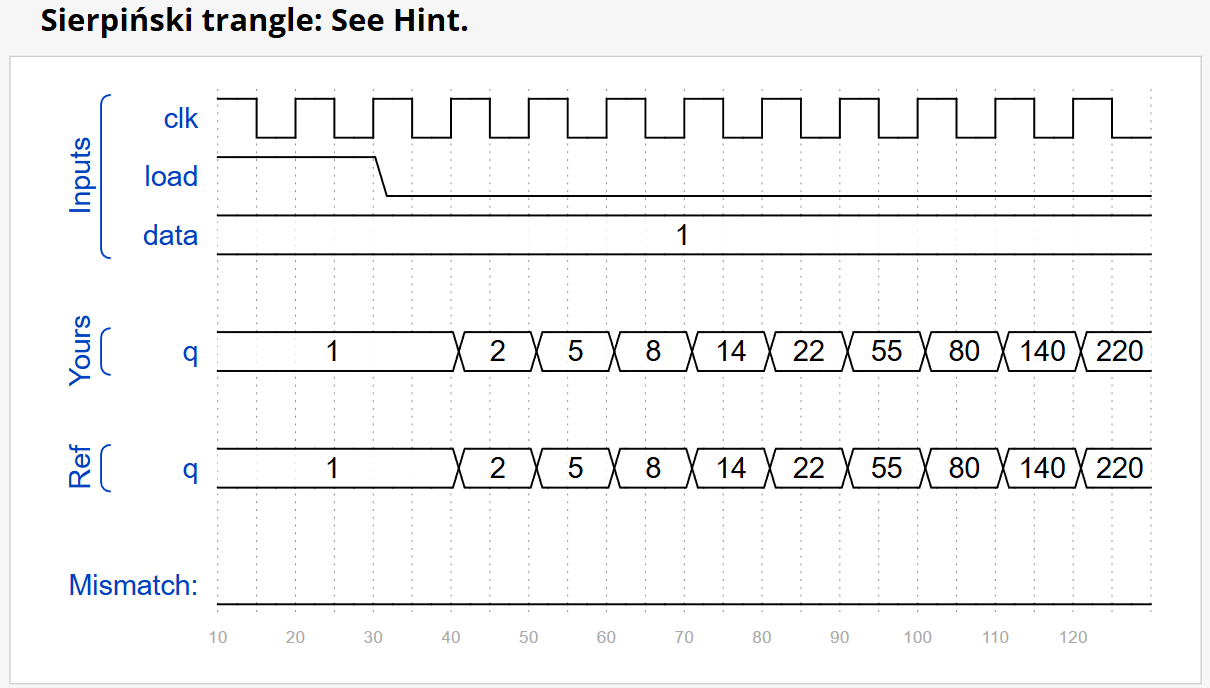
Notice that the number of
qis display by hex format.